

Download a list as CSV or Excel
Open the list on the Lists page, then download it as a CSV or an Excel (.xlsx) file. Downloading a list again is free.
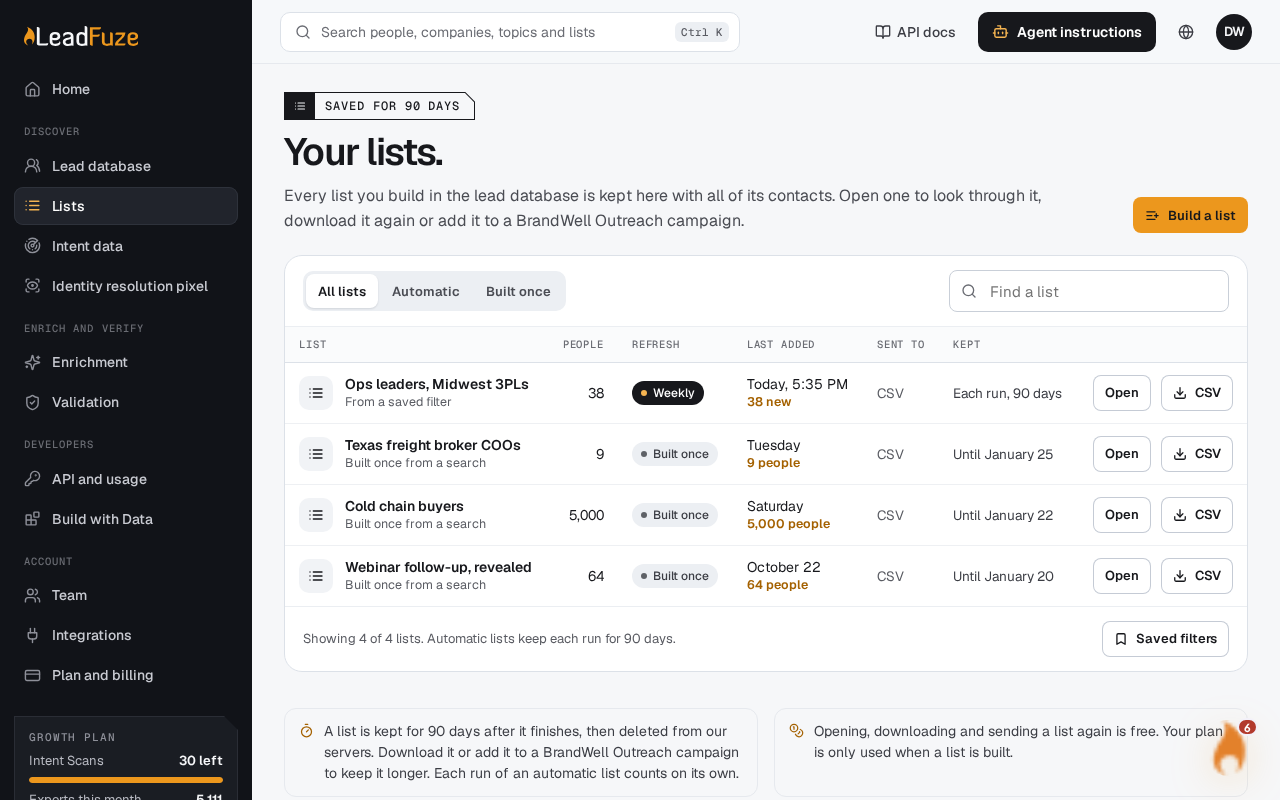
#Open the list
Go to Lists and select the list you want. Each list shows its status, so you can see whether it is ready.
#Check that it is ready
A list can be downloaded once it has finished and holds at least one person. A list that finished early, with fewer people than you asked for, can also be downloaded. If the page says "Building now", wait. The page updates on its own.
#Choose CSV or Excel
Pick the CSV or the Excel download. The file contains the whole list.
#What is in the file
- CSV: Any value a spreadsheet could run as a formula gets a leading apostrophe. This covers values that start with
=,+,-,@, a tab or a carriage return. Phone numbers such as +1 555 010 0003 are left as they are. - Excel: The workbook has one sheet, named Leads. The first row holds the field names. Every value is stored as text, so nothing is treated as a formula. A value longer than 32,767 characters is cut at that length.
#How long a list stays available
Lists are deleted 90 days after they finish. Download the file before then if you want to keep it. A list that has been deleted shows "This list was not found. Lists are kept for 90 days."
On the Lists page, a list that is not automatic shows how long it has left. When 14 days or fewer remain, it shows the days left. Otherwise it shows the date it is kept until. Each run of an automatic list is kept for 90 days.
Note
Reading or downloading a list again does not use any of your plan's exports.
#Download with the API
If you use the API, send your API key (it starts with lfz_) as a Bearer token in the Authorization header.
GET /leads-database/exportslists your latest lists, with their name, status, exported_count and download_ready.GET /leads-database/exports/{export}/download?format=csvreturns the whole file. Useformat=xlsxfor Excel.GET /leads-database/exports/{export}/contacts?page=1returns 50 contacts at a time as JSON.
Was this article helpful?
Still stuck?