

Find a topic to scan for
Search the topic catalog by name, or by topic number, to find the topic you want to scan for. Each result shows the topic's name, its description and how many people a day research it.
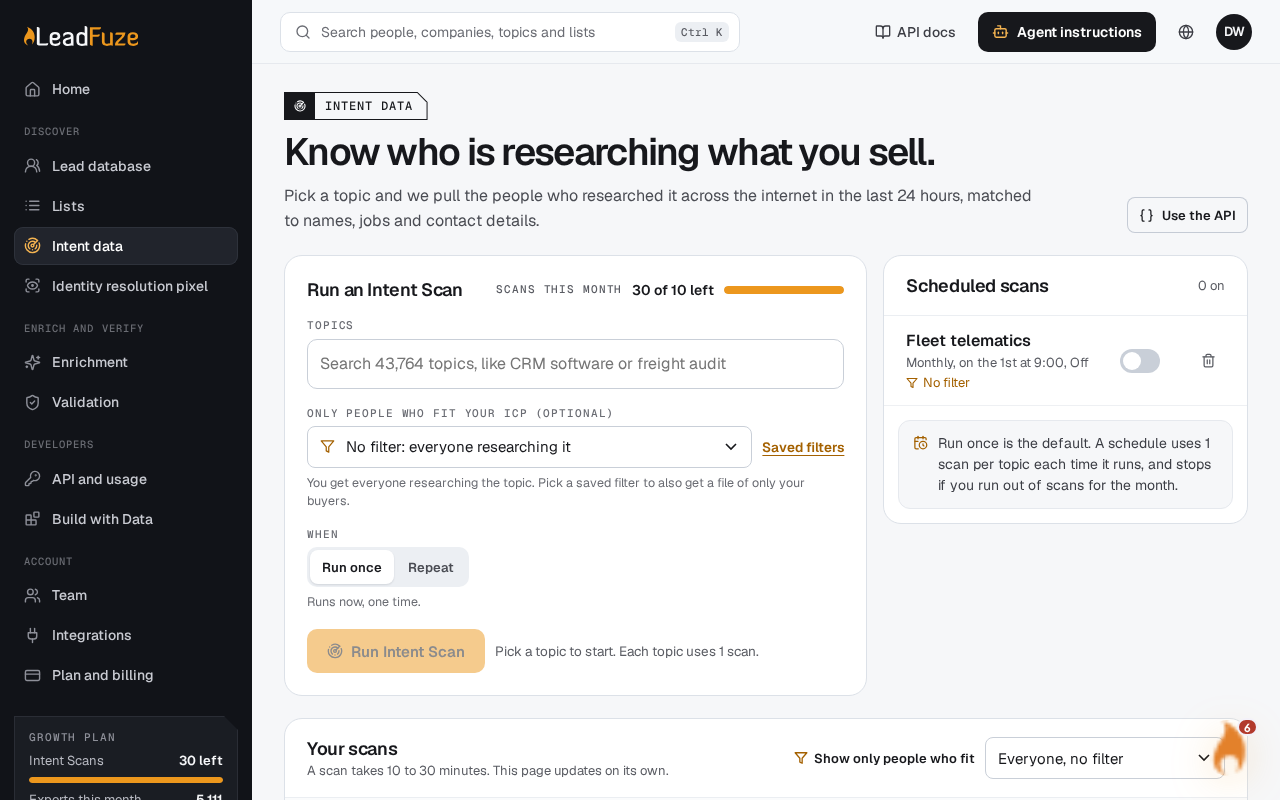
#Open the Intent data page
Go to the intent data page of your account at
/app/intent.#Search for a topic
Type what you sell or the problem you solve. Type at least 2 characters. A topic number is the one exception, and a single digit works for that.
#Check the results
Read each topic's description. Compare how many people a day research it. Check whether it is a B2B or B2C topic.
#Pick your topics
Select one or more topics to track, then submit them as a request.
#What you can type
- A topic name, such as
CRM Software. Exact names come first, then names that start with what you typed, then names with a word that starts with it. Sochirofinds Chiropractic Care. - A description of what you mean. Search matches on meaning, not only on shared words, so related topics appear too. Keyword matches in names, categories and descriptions count as well.
- A topic number or id. A number such as
123finds the B2B and B2C topics with that number. Useb2b_123orb2c_123to find just one.
#Before you type
The page suggests popular topics before you type anything:
- CRM Software
- Managed IT Services Providers
- Payroll Outsourcing
- Business Loans
- Marketing Automation
- Employee Benefits
- Freight Management
- Medical Billing
- Search Engine Optimization (SEO)
- Security Awareness Training Software
- Sales Engagement Software
- Applicant Tracking Systems (ATS)
#Reading people a day
People a day is the topic's average daily profiles divided by 6. Use it to judge how big a topic is. A niche topic like Wakeboarding has about 20,000 people a day. Broader topics have far more.
Tip
If a search returns too few results, try a broader phrase or a related word. Search matches on meaning, so a short description of your market often works.
Was this article helpful?
Still stuck?