

See who visited your website
Open the Visitors tab on the identity resolution pixel page. It lists the people IDRP has identified on your site, newest first.
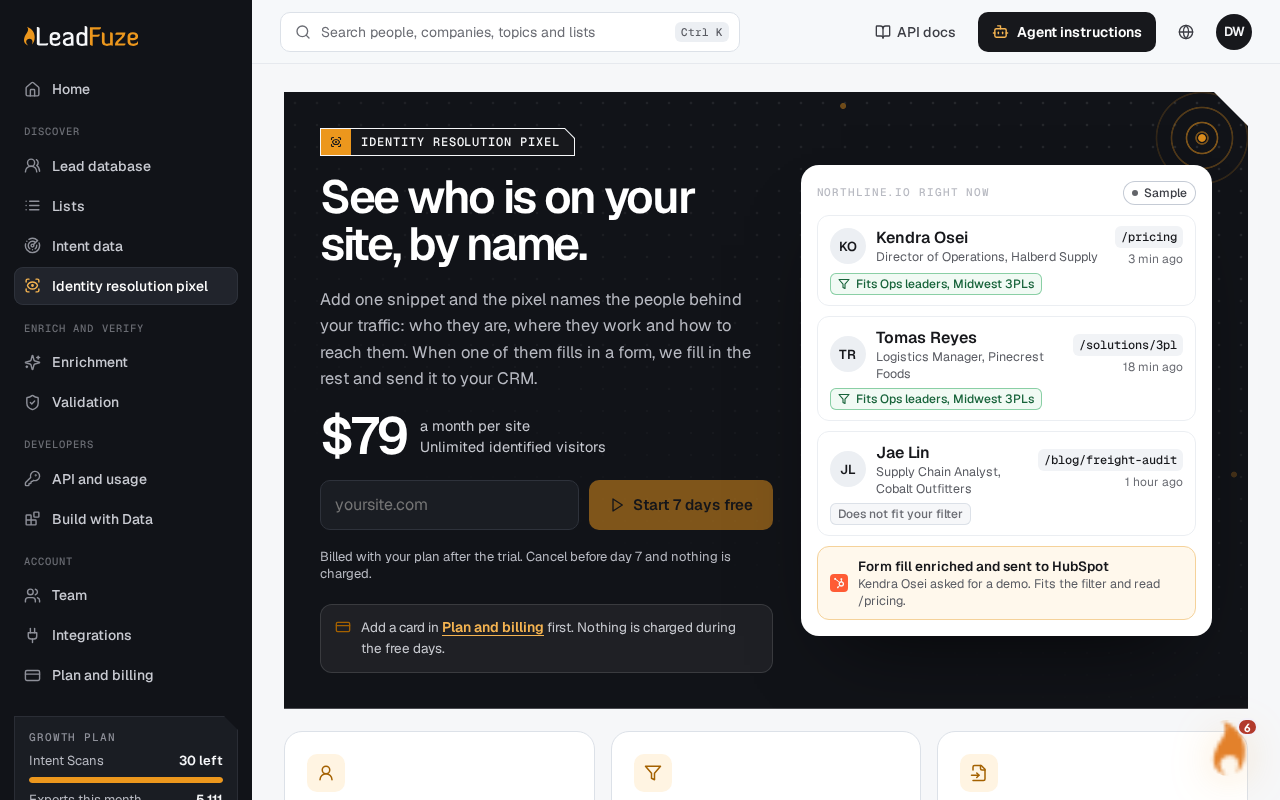
Visitors only appear once the pixel is live. Identified visitors show up within a few minutes of it being installed. Check that it's installed if the list stays empty.
#Pick a site and a time range
If you have more than one site, choose the site from the site list at the top of the page. Each site has its own visitors.
Then choose a time range:
- Today
- In the last 7 days
- In the last 30 days (the default)
#Browse the list
The list shows 50 visitors per page, newest first. Load more to see the next page.
At the top of the tab you'll also see summary figures, including how many visitors were identified this month and the page most identified visitors read.
#Show only visitors who fit a saved filter
You can narrow the list to visitors who match one of your saved Leads database filters. LeadFuze checks the 2,000 most recent visitors in your chosen range against the filter. In a very busy range, the list may leave out older matches.
#Open a visitor
Select a visitor to see their profile. It also shows:
- Pages read: how many pages they viewed.
- Visits: how many separate days they visited.
- Time on site: total time spent across their page views.
- A list of up to 12 of their most recent pages, with the page path and when they viewed it, such as "Just now", "5 min ago", "2 hours ago" or "Yesterday".
If a visitor can't be found, you'll see: "This visitor was not found."
#Export visitors to CSV
You can download the visitors in your chosen range and filter as a CSV file named after your site, like yoursite.com-visitors.csv.
- Without a filter, the file includes up to the 10,000 most recent visitors in the range.
- With a saved filter, it includes the matching visitors from the 2,000 most recent.
The file has these columns:
first_name, last_name, job_title, seniority_level, department, business_email, mobile_phone, direct_number, linkedin_url, company_name, company_domain, primary_industry, company_employee_count, professional_city, professional_state, pages_read, visits, last_page, last_seen
Note
LeadFuze makes spreadsheet-safe cells. If a value starts with a character a spreadsheet could run as a formula, the export neutralizes it.
Was this article helpful?
Still stuck?