

Update your payment method
Open Plan and billing and use the button next to your card in the Payment section. It opens Stripe's own page, where you change the card.
Note
Only the account owner can see the Payment section and change the card. Other team members see a message naming the owner.
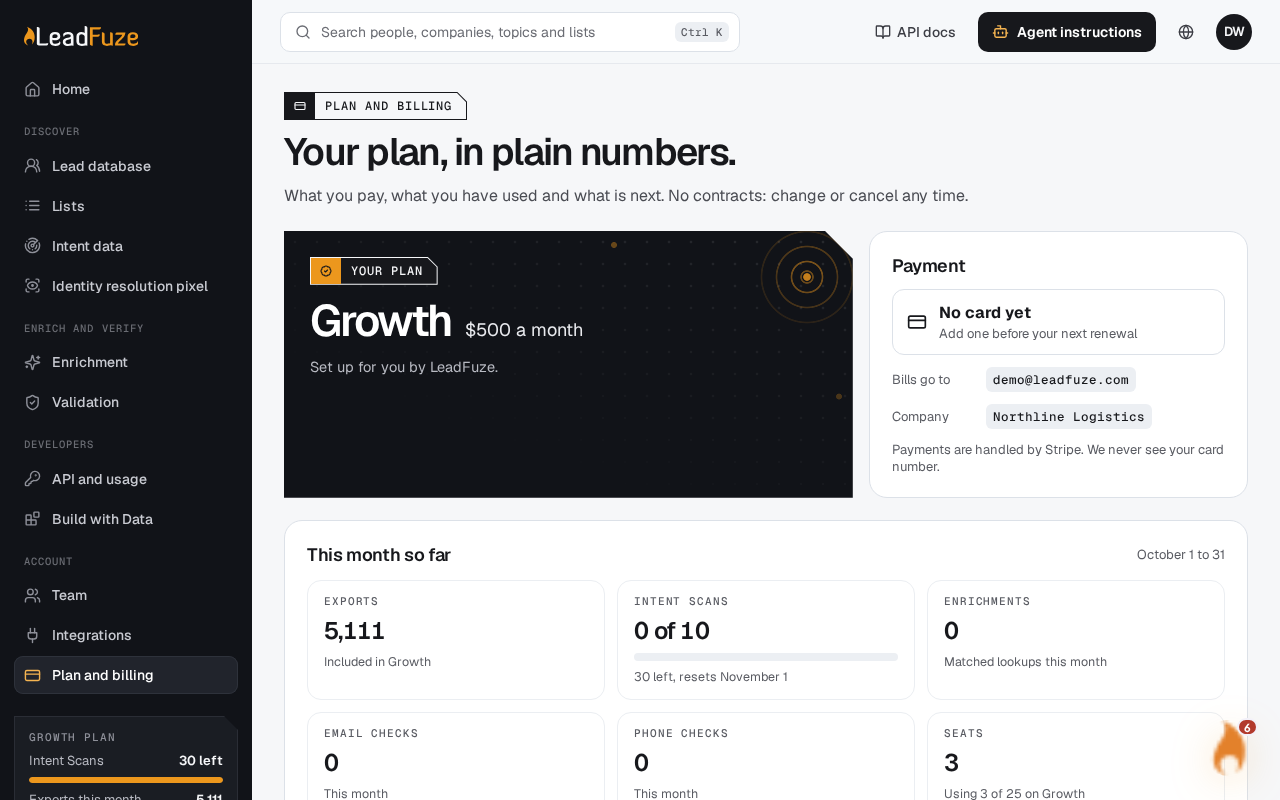
#Open Plan and billing
Sign in as the account owner and go to the billing page at
/app/billing.#Find the Payment section
The Payment section shows the card on file. It also shows Bills go to and Company.
#Open Stripe's page
Select the button on the right of the card. LeadFuze sends you to Stripe's page for the card, billing email and tax details.
#Change the card
Make your changes on Stripe's page. When you finish, Stripe sends you back to Plan and billing.
#If a payment just failed
When your last payment did not go through, a banner at the top of the page has an Update the card button. It opens the same Stripe page. See My payment failed for more.
Was this article helpful?
Still stuck?