

Check how much of your plan you have used
Open Plan and billing and look at the This month so far section. It shows what your account has used since the start of the month. You can also see a summary on Home and in the sidebar.
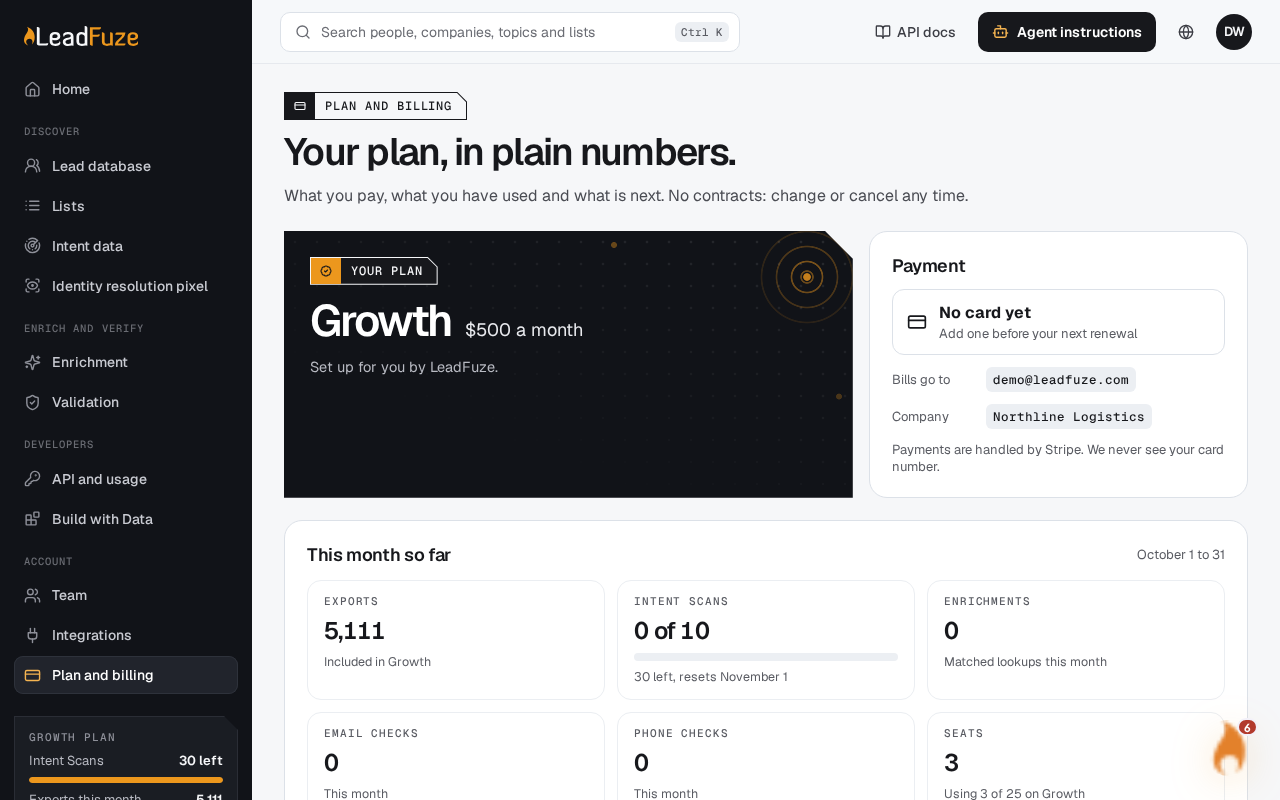
#Where to look
| Where | What it shows |
|---|---|
| Plan and billing, This month so far | Your usage meters for the month |
| Home | Exports this month, Intent Scans, Enrichments and Checks this month |
| Sidebar plan box | Intent Scans left, and exports this month |
#What the totals include
- Exports: contacts exported in your lists this month. On Starter, the sidebar shows this as a number out of 25,000. On Growth and Scale it shows the count on its own, because exports are unlimited under fair use.
- Lists: how many lists you have built this month.
- Intent Scans: scans you have run this month. Retries and failed scans are not counted. The sidebar shows how many you have left, for example "3 of 5 left". If you have bought extra credits, it shows just the number left.
- Enrichments: successful lookups only.
- Email checks and phone checks: each check counts once.
#When the totals reset
Totals count from the start of the month in your account's timezone (UTC if none is set). They start again at the beginning of the next month.
#If you have no plan
The sidebar plan box says No plan yet. It shows your Export credits balance and your Exports this month.
Note
Only the account owner can change the plan, buy credits or see payment details on Plan and billing.
Was this article helpful?
Still stuck?