

Cancel your subscription
Cancel from Plan and billing. Your plan does not stop right away. It ends on a set date, and everything stays available until then. After you cancel, you see: Your plan ends followed by the date, then Everything stays until then.
Note
Only the account owner can cancel. There are no contracts, so you can cancel at any time.
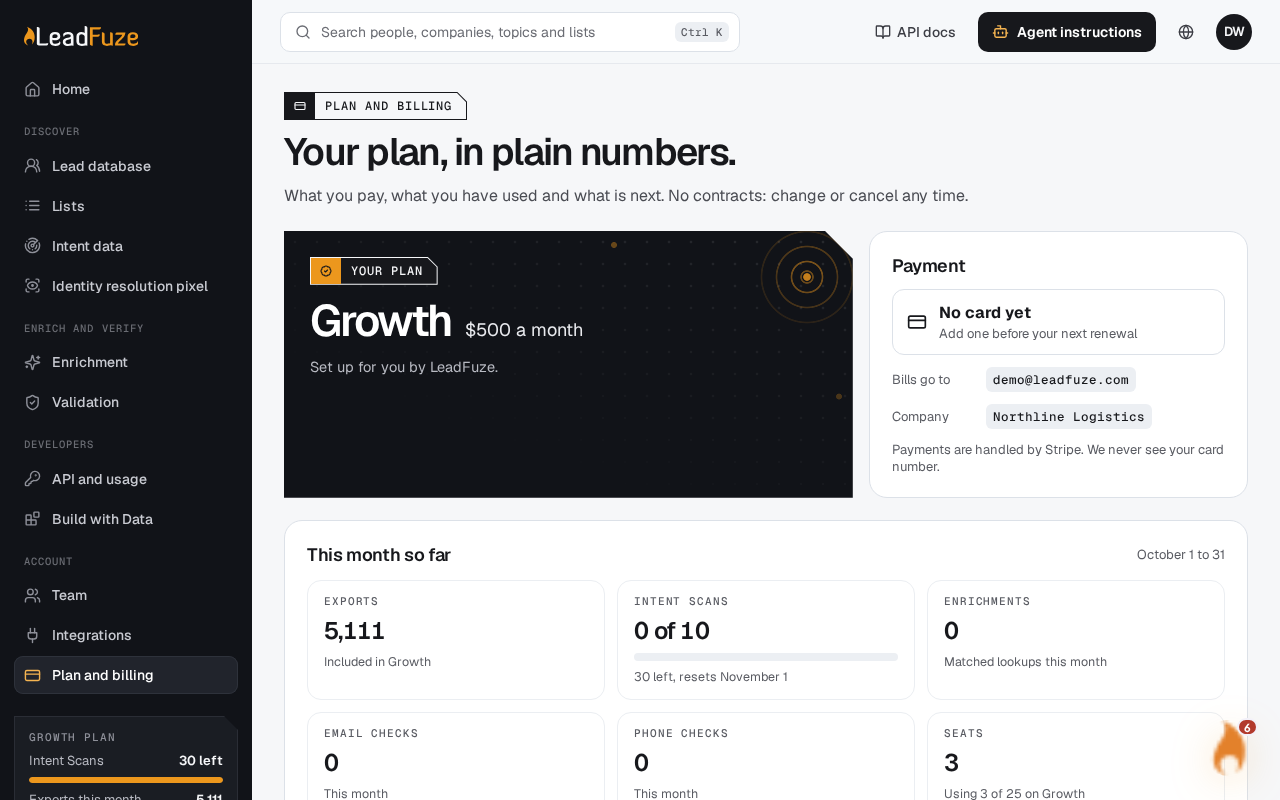
#Open Plan and billing
Sign in as the account owner and go to
/app/billing.#Cancel the plan
Use the cancel option for your plan. LeadFuze sets the plan to end at the close of the current billing period.
#Check the end date
A message confirms the date your plan ends. Your plan and everything on it stay until that date.
#Change your mind
Until the end date, you can keep your plan. Use the option to keep it on the Plan and billing page. You then see Your plan keeps renewing.
Picking your current plan again also stops it from ending. You then see You are staying on and the plan name.
#Good to know
- If you have no plan, cancelling returns the message There is no plan to cancel.
- If you scheduled a plan change for your renewal date, cancelling removes that scheduled change.
- The identity resolution pixel is billed separately for each website. Cancelling your plan does not cancel those subscriptions.
- Export credits are bought once and are not part of your plan subscription.
Was this article helpful?
Still stuck?