

Schedule recurring intent scans
You can repeat an Intent Scan on a schedule when you start it. Each schedule runs at 9:00 in your account's timezone. Pick daily, weekly, monthly or a custom number of days.
A schedule covers one topic. Each run uses 1 scan per topic.
#Open Intent data
Go to Intent data in the app (
/app/intent).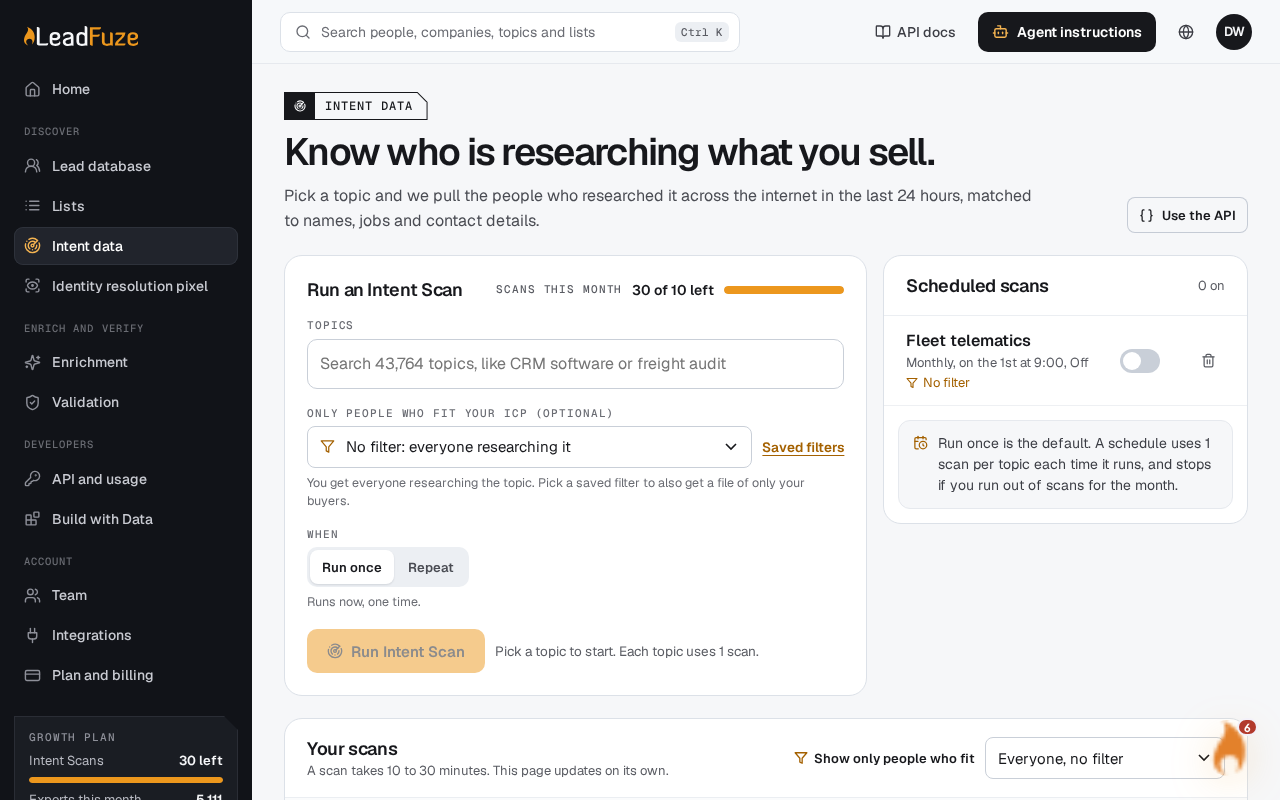
#Pick your topics
Type at least 2 characters in the topic search box. Choose a topic from the results. Repeat to add more. You can start up to 10 topics at once.
You can only pick topics your account is allowed to scan. If not, you see: "Your account cannot scan [topic]."
#Choose a saved filter (optional)
Pick a saved filter if you want a second file with only the people who match it. Without one, you get everyone researching the topic. The filter does not change how many scans a run uses.
Save filters in the leads database first.
#Set it to repeat
Choose the repeat option instead of the one-time run. Then pick how often it repeats:
Frequency When it runs Daily Every day at 9:00 Weekly Every Monday at 9:00 Monthly On the 1st of each month at 9:00 Custom Every N days at 9:00. Enter a number from 2 to 90. The page shows a line such as "Runs now, then every Monday at 9:00. Each run uses 1 scan per topic." For a custom number outside 2 to 90, it shows "Pick from 2 to 90 days."
#Start the scan
Start it. The scan runs now, then repeats on your schedule. You see "Scan started." followed by how often it repeats.
Important
A repeating scan runs once right away, and that first run uses a scan too. You can only start as many topics as you have scans left.
#If a scan does not start
- "You have no Intent Scans left this month." Your scans reset on the date shown in the message.
- A topic is already running. It is skipped, and the message tells you how many were skipped.
- "You ran out of scans before every topic started." Only some of your topics started.
Your schedules and recent scans are listed on the Intent data page. Past runs appear in Your scans. To pause or remove a schedule, see "Pause or delete a scan schedule".
Was this article helpful?
Still stuck?